Weebly Compatible

Weebly Live Chat for Your Website

Add powerful live chat and AI chatbots to your Weebly website. Chat with visitors directly from Slack, Microsoft Teams, Google Chat, or Zoom. Simple setup, no coding required.

  • Easy embed code installation in minutes
  • AI chatbot handles common questions 24/7
  • Unlimited team members. No per-seat pricing

14-day free trial • No credit card required
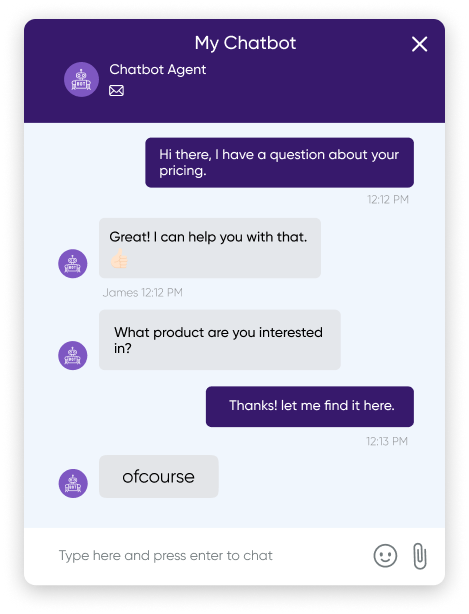
Weebly Live Chat Widget
Platform
Weebly
Chat online

Why Choose Social Intents for Weebly?

The best live chat solution for Weebly websites. Simple setup, powerful features, no coding needed.

5-Minute Setup

Copy and paste one line of code into your Weebly site. No technical skills required.

AI-Powered

ChatGPT, Claude, or Gemini AI answers questions automatically, trained on your website content.

Team Chat

Reply from Slack, Teams, Google Chat, or Zoom. Your team uses tools they already know.

Simple Setup

How to Add Live Chat to Weebly

Get live chat running on your Weebly website in under 5 minutes with our simple embed code.

1

Sign Up Free

Create your free Social Intents account. Get your unique chat widget embed code from the dashboard.

Create Account
2

Add to Weebly

In Weebly Editor, drag an Embed Code element to your footer. Paste your Social Intents code and publish.

View Guide
3

Start Chatting

Connect Slack, Teams, or your preferred chat tool. Start talking to visitors immediately!

Slack Teams Google Chat Zoom
Embed Code
<script src="https://www.socialintents.com/api/chat/YOUR_WIDGET_ID"></script>

Just one line of code to add live chat to your Weebly site

Features

Everything You Need for Weebly Live Chat

Powerful features designed for Weebly website owners who want to connect with visitors and grow their business.

Custom Widget Styling

Match your Weebly site's branding with custom colors, logos, welcome messages, and positioning.

AI Chatbot

ChatGPT, Claude, or Gemini AI answers FAQs automatically. Train on your website content in minutes.

Unlimited Team Members

No per-seat pricing. Add your whole support team without paying extra per agent.

Canned Responses

Save time with pre-written responses to common questions. Insert with a single click.

Targeting Rules

Show different chat widgets based on pages, URLs, visitor behavior, or time of day.

Proactive Invites

Automatically invite visitors to chat based on time on page, scroll depth, or exit intent.

Business Hours

Set online/offline hours. Show different messages or hide the widget outside business hours.

Analytics & Reports

Track chat volume, response times, customer satisfaction, and agent performance.

Zapier Integration

Connect to 5,000+ apps. Send chat transcripts to CRM, email, spreadsheets, and more.

Integrations

Chat From Tools Your Team Already Uses

Connect your Weebly live chat to Slack, Teams, Google Chat, or Zoom. No new software to learn.

FAQ

Weebly Live Chat Questions

Adding live chat to Weebly is simple: Sign up for Social Intents, copy the embed code from your dashboard, then in the Weebly Editor, drag an "Embed Code" element to your page footer and paste the code. Publish your site and the chat widget appears automatically. View our step-by-step guide.

Yes! Social Intents integrates with Slack, Microsoft Teams, Google Chat, Zoom, and Webex. When a visitor chats on your Weebly site, the message appears in your team chat app. Reply directly from Slack or Teams without switching apps.

Absolutely! Social Intents includes AI chatbots powered by ChatGPT, Claude, or Gemini. The AI can answer common questions automatically, capture leads, book appointments, and hand off to human agents when needed. Train it on your website content in minutes.

Social Intents starts at $39/month with a 14-day free trial. Unlike other chat apps, we don't charge per agent. Add unlimited team members at no extra cost. All plans include team chat integrations, AI chatbot features, and work with Weebly sites.

Yes! Customize colors, button style, position, welcome messages, agent photos, and more. The widget can match your Weebly site's branding perfectly. You can also show different widgets on different pages using targeting rules.

When your team is offline, visitors can leave messages that get delivered to your email or team chat. Or set up an AI chatbot to handle questions 24/7. You can also hide the widget outside business hours or show a contact form instead.

Yes! The chat widget is fully responsive and works perfectly on mobile devices. It automatically adapts to different screen sizes, ensuring a great experience for visitors on smartphones and tablets visiting your Weebly site.

Add Live Chat to Your Weebly Site Today

Join thousands of Weebly website owners using Social Intents to connect with visitors and grow their business.

14-day free trial • No credit card required • 5-minute setup